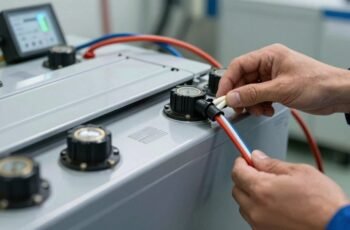
We recognize the importance of consistent maintenance, diligent inspection, and careful handling. Regularly checking connections, cleaning terminals, and monitoring battery health are essential steps that prevent unexpected failures and extend device lifespan. Developing a precise routine guarantees peak performance and minimizes downtime. But to achieve this, we need to clarify the best practices for each task and establish a methodical schedule—something that can make all the difference in your portable power management.
Key Takeaways
- Establish a regular schedule for inspections, cleaning, and component testing based on usage and manufacturer guidelines.
- Clean surfaces, check for corrosion, and ensure vents and filters are unobstructed to protect against environmental damage.
- Monitor battery health, perform partial charges, and store in cool, dry conditions to prolong lifespan.
- Inspect connections, update firmware/software, and verify device performance regularly to prevent malfunctions.
- Use weatherproof enclosures, proper grounding, and conduct environmental assessments to safeguard portable power equipment.
Understanding the Importance of Regular Maintenance for Portable Power Devices
Regular maintenance is essential for guaranteeing the ideal performance and longevity of portable power devices. By adhering to a structured maintenance routine, we can prevent unexpected failures and optimize efficiency. Regularly checking battery health, for example, helps identify potential issues like capacity loss or corrosion early. Keeping vents clear and inspecting connections prevent overheating and ensure stable power delivery. Precise documentation of usage and maintenance activities allows us to track performance trends and schedule timely interventions. We focus on methodical, step-by-step procedures—such as testing voltage levels and tightening fittings—to avoid overlooked problems. This disciplined approach minimizes downtime, reduces repair costs, and extends the device’s operational lifespan. Ultimately, consistent maintenance safeguards our investment and guarantees reliable power whenever we need it.
How to Properly Clean and Inspect Your Power Equipment
To guarantee peak performance, we start by using specific cleaning tools like brushes, compressed air, and damp cloths to remove dirt and debris from all surfaces. Next, we systematically inspect key components—checking for corrosion, loose connections, and wear—using a detailed checklist. Following this methodical approach helps us identify potential issues early and maintain the equipment’s reliability.
Cleaning Techniques and Tools
Cleaning and inspecting your power equipment thoroughly is essential to maintaining ideal performance and extending its lifespan. We recommend using specific tools and techniques for systematic cleaning. Use a soft brush or compressed air to remove dust and debris from vents, filters, and cooling fins. For stubborn grime, apply a mild degreaser, then wipe with a clean cloth. Always disconnect power sources before cleaning. For delicate parts, a microfiber cloth ensures gentle cleaning without scratches.
| Tool | Purpose |
|---|---|
| Soft brush | Remove dust from vents and fins |
| Compressed air | Clear debris from hard-to-reach areas |
| Microfiber cloth | Clean surfaces gently |
| Mild degreaser | Break down grease and grime |
| Cleaning gloves | Protect hands during cleaning |
Inspection Checklist and Tips
When inspecting your power equipment, it’s crucial to follow a systematic approach to guarantee no detail is overlooked. We start by visually examining all surfaces for signs of corrosion, rust, or damage. Next, we check the air filters, making sure they are clean and free of debris; replace if necessary. We then inspect hoses and connectors for cracks or leaks, tightening or replacing parts as needed. Moving to the engine or motor, we look for oil leaks, loose bolts, or worn belts. We verify that safety features, such as shutdown switches, are functional. Finally, we test the equipment’s operational performance, listening for unusual noises or vibrations. By following this precise checklist, we ensure our power equipment remains reliable, safe, and ready for use.
Best Practices for Charging and Battery Care
Properly charging and maintaining the battery is essential to guarantee reliable performance and extend its lifespan. We recommend always using the correct charger specified by the manufacturer, confirming voltage and current ratings match. Avoid overcharging by disconnecting the device once it reaches full capacity, which prevents battery stress and degradation. Regularly monitor battery temperature during charging; excessive heat indicates potential issues. For maximum longevity, perform partial charges rather than full discharges, maintaining the battery within a 20-80% charge range. Store batteries in a cool, dry environment if unused for extended periods, and recharge them periodically to prevent capacity loss. Consistent, careful maintenance of charging practices ensures your portable power source remains reliable, efficient, and ready for use whenever needed.
Troubleshooting Common Issues in Portable Power Sources
Even with diligent maintenance, portable power sources can encounter issues that hinder their performance or reliability. We begin troubleshooting by carefully inspecting connections and cables for corrosion, looseness, or damage. Next, we verify the power source’s indicator lights and display messages, noting any error codes or unusual signals. If the device isn’t charging, we check the input port and charger compatibility, ensuring proper contact and voltage. For battery problems, we test voltage levels with a multimeter, comparing against manufacturer specifications. If the power output is inconsistent, we examine the internal components for signs of overheating or corrosion. When issues persist, we review usage patterns and environmental factors, such as temperature or humidity, which may affect performance. Precise diagnosis guides effective repair or replacement, ensuring the power source’s long-term reliability.
When and How to Perform Firmware and Software Updates
Regularly updating the firmware and software of your portable power source is essential to maintain peak performance, security, and compatibility with new devices. We recommend checking for updates monthly or whenever manufacturer notifications are issued. To perform updates, connect your device to a stable power source and guarantee a reliable internet connection. Follow the manufacturer’s instructions precisely, usually via their dedicated app or official website. Download and install updates promptly, avoiding interruptions during the process. Before updating, back up critical data if applicable. Confirm that the update completes fully and verify the version number afterward. Regular updates patch security vulnerabilities, improve efficiency, and add new features. Adhering to this schedule ensures your device remains reliable, secure, and fully functional over its lifespan.
Storing Your Power Devices Safely During Off-Use Periods
When storing your power devices during extended periods of disuse, it’s vital to follow specific procedures to preserve their longevity and safety. Proper storage minimizes degradation and prevents hazards. First, charge devices to approximately 50-70% to prevent the battery from over-discharging or overcharging. Store devices in a cool, dry environment away from direct sunlight and extreme temperatures. Guarantee they are kept in a well-ventilated area to avoid moisture buildup. Use protective cases or containers to shield against dust and physical damage. Finally, disconnect devices from chargers and cables to prevent residual power drain.
- Store in a temperature-controlled environment (ideally 15-25°C)
- Keep away from metallic objects that could cause short circuits
- Avoid stacking or compressing devices to prevent physical stress
- Regularly check stored devices for signs of deterioration
- Label storage containers for easy identification
Extending Battery Life With Proper Usage Habits
Practicing proper usage habits can considerably extend the lifespan of your device batteries and maintain ideal performance. We recommend avoiding frequent deep discharges; instead, keep the battery charge between 20% and 80%, minimizing stress on the cells. Always use the recommended charger and avoid cheap alternatives, as subpar connectors can cause voltage fluctuations that harm the battery. Refrain from exposing batteries to extreme temperatures—store and operate within the manufacturer’s specified range. When possible, perform partial charges rather than full cycles, which reduces wear over time. Regularly calibrate your device by fully charging and discharging it once a month to ensure accurate battery readings. Adopting these precise habits helps preserve battery capacity, improves device reliability, and extends overall longevity.
Recognizing Signs of Wear and When to Replace Components
As components begin to age, subtle but consistent signs of wear can indicate the need for replacement before failure occurs. Recognizing these signs requires careful observation and a systematic approach. Key indicators include:
- Decreased output capacity: Power delivery drops below specifications despite proper maintenance.
- Unusual noises or vibrations: Audible or vibrational anomalies signal internal component degradation.
- Corrosion or corrosion spots: Visible rust or corrosion on terminals or connectors suggest compromised integrity.
- Overheating during operation: Excessive heat buildup may point to internal faults or worn-out parts.
- Visible physical damage: Cracks, warping, or broken components directly impact functionality.
Regular inspection, combined with attention to these signs, helps us determine when timely replacement preserves reliability and prevents unexpected failures.
Protecting Your Equipment From Environmental Damage
Ensuring your equipment remains reliable requires more than just monitoring internal components; it also involves safeguarding it against environmental factors that can cause damage. To do this, we systematically assess exposure risks—such as moisture, dust, temperature fluctuations, and direct sunlight—and implement targeted protective measures. We use weatherproof enclosures or protective covers, guaranteeing seals are intact and vents are unobstructed. Regular inspections check for corrosion, debris buildup, and signs of wear, especially after adverse weather conditions. We also position equipment in shaded, well-ventilated areas whenever possible, minimizing thermal stress. Proper grounding and surge protection further defend against electrical and static damage caused by environmental interference. This meticulous approach ensures the longevity and dependable performance of your portable power equipment in diverse conditions.
Creating a Routine Maintenance Schedule for Long-Term Reliability
Establishing a detailed routine maintenance schedule is essential for maintaining the long-term reliability of portable power equipment. We recommend systematically planning inspections, servicing, and replacements to prevent unexpected failures. Regularly check and document battery health, ensuring terminals are clean and connections secure. Lubricate moving parts to minimize wear, and verify that cooling systems are free of debris. Keep detailed records of all maintenance activities to identify patterns and schedule future tasks accurately. Prioritize tasks based on usage intensity and manufacturer guidelines, and incorporate checkpoints for testing performance and safety. Consistency in your routine guarantees equipment efficiency and longevity, reducing downtime and costly repairs. Adopting a precise, methodical approach assures that your portable power solutions remain dependable over time.
Frequently Asked Questions
What Are the Signs of Declining Battery Capacity?
We notice declining battery capacity through shorter usage times, increased charging frequency, and unexpected shutdowns. If your device’s performance diminishes, it’s a clear sign that the battery’s capacity is waning and needs replacement or servicing.
How Do Temperature Changes Affect Portable Power Device Performance?
Temperature changes considerably impact portable power device performance; high temperatures accelerate battery degradation, reducing lifespan, while cold conditions decrease efficiency and capacity temporarily. We recommend storing devices in stable, moderate environments to maintain ideal function and longevity.
Can Using Incompatible Chargers Damage My Power Equipment?
Using incompatible chargers is like forcing mismatched puzzle pieces—damage is inevitable. We carefully check compatibility, avoid voltage spikes, and use manufacturer-approved chargers to protect our power equipment from costly, irreversible harm.
What Safety Precautions Should I Follow During Maintenance?
We guarantee safety by disconnecting devices before maintenance, wearing insulated gloves and eye protection, working in a dry area, using proper tools, following manufacturer instructions meticulously, and avoiding shortcuts to prevent electrical shocks and equipment damage during routine checks.
How Often Should I Calibrate My Portable Power Device?
We recommend calibrating your portable power device every six months to guarantee accuracy and peak performance. Regular calibration helps us identify potential issues early, maintain safety standards, and prolong the device’s lifespan through precise, systematic checks.
Conclusion
By adhering to a meticulous maintenance routine, we guarantee our portable power devices remain reliable and efficient, much like a finely tuned engine running smoothly. Regular inspections, careful cleaning, and proper handling act as the pistons and gears that keep everything moving seamlessly. When we stay proactive and attentive, we prevent small issues from snowballing into costly repairs, preserving our equipment’s lifespan and performance. Consistency in maintenance truly is the foundation of long-term power and dependability.