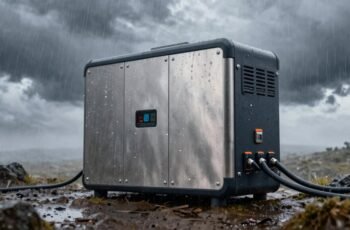
As we explore the evolution of portable power solutions, the integration of app control in smart power stations stands out for its potential to enhance operational efficiency and user convenience. These systems leverage embedded wireless modules for secure, real-time monitoring and management, making them particularly relevant in outdoor and emergency contexts. Understanding their underlying mechanisms and key features is essential for evaluating their value, yet many aspects remain complex and evolving—prompting a closer look into their design and future developments.
Key Takeaways
- App control enables real-time monitoring and management of power station performance via secure wireless connections (Wi-Fi/Bluetooth).
- Setup involves downloading the app, pairing with the device, and configuring power settings for optimal operation.
- Features include remote control, alerts for abnormal usage, system diagnostics, and firmware updates.
- Troubleshooting connectivity issues often requires verifying device pairing, updating firmware, and checking interference sources.
- Future trends involve AI integration, enhanced connectivity protocols, and renewable energy compatibility for smarter control.
How Do Smart Portable Power Stations With App Control Work?
Smart portable power stations with app control operate through a combination of embedded hardware and wireless connectivity, typically utilizing Wi-Fi or Bluetooth modules. The embedded hardware includes microcontrollers and communication chips that manage power output and monitor system status. These components connect wirelessly to a user’s device via a dedicated app, allowing real-time control and data exchange. The app communicates with the power station’s firmware, sending commands for power management, startup, shutdown, or configuration adjustments. Data such as battery status, voltage levels, and usage patterns are transmitted back to the app, enabling remote diagnostics. This integration relies on secure communication protocols to prevent unauthorized access. Overall, the seamless hardware-software interface enables intuitive, remote operation and monitoring, enhancing user control and system reliability.
Key Features to Look for in App-Controlled Power Stations
When selecting an app-controlled power station, it’s essential to prioritize key features that guarantee reliable performance, security, and user convenience. Robust connectivity protocols, such as Wi-Fi or Bluetooth, ensure stable communication between the device and the app, minimizing disconnects. An intuitive user interface is critical for efficient operation, offering real-time monitoring of power levels, battery health, and usage analytics. Security features, like encrypted data transmission and secure login, protect against unauthorized access. Compatibility with multiple operating systems broadens usability, while customizable alerts and remote control functions enhance user engagement. Additionally, firmware update capabilities are essential to maintain system integrity and incorporate security patches. Overall, these features collectively optimize device reliability, user safety, and operational transparency.
How to Set Up and Connect Your Power Station to Your Smartphone
To connect your power station to your smartphone, we start by downloading the compatible app from the designated store. Next, we establish a connection using Bluetooth or Wi-Fi, depending on the device’s capabilities, ensuring secure pairing. Finally, we configure power settings within the app to optimize performance and monitor system status effectively.
Download the App
Before connecting your power station to your smartphone, you’ll need to download the dedicated app designed for remote management. This app serves as the primary interface for configuration, monitoring, and control, ensuring seamless integration with your device. It’s essential to verify compatibility with your operating system—iOS or Android—before installation. The download process involves accessing the official app store, searching for the specific app name, and ensuring the source is legitimate to prevent security risks. Once downloaded, the app’s interface provides a streamlined setup process, guiding users through initial registration and device pairing. Properly installing and updating the app guarantees access to the latest features and security protocols, forming the foundation for reliable remote management of your power station.
Connect via Bluetooth/Wi-Fi
Establishing a connection between your power station and your smartphone via Bluetooth or Wi-Fi involves a systematic setup process that guarantees reliable communication. First, confirm your power station is powered on and within range. For Bluetooth, enable Bluetooth on your device and activate pairing mode on the station, typically via a dedicated button or menu. For Wi-Fi, connect your smartphone to the power station’s network—often a local hotspot—using the network credentials provided. Use the app to detect and select your device, then follow prompts to establish the connection. This process involves authenticating devices and verifying signal integrity. Proper setup minimizes latency and ensures stable data transfer, which is essential for real-time monitoring and control. Accurate setup is critical for seamless operation and reliable app-based management of the power station.
Configure Power Settings
Have you ever wondered how to maximize your power station’s performance through precise configuration? Setting up power parameters via the app involves adjusting output limits, switching between modes, and managing energy allocation efficiently. First, verify your device is connected via Bluetooth or Wi-Fi. Once connected, access the power settings menu to define maximum output currents for different ports, preventing overloads and extending device longevity. Switching between eco, performance, or custom modes allows tailored power management based on usage needs. Additionally, you can calibrate battery capacity reporting for accurate monitoring. These configurations provide granular control, enabling ideal power distribution and safeguarding hardware integrity. Properly configuring these settings ensures the power station operates at peak efficiency, aligning with your specific energy demands and prolonging device lifespan.
Monitoring and Managing Power Usage Remotely: Tips and Tricks
Monitoring real-time power consumption allows us to identify inefficiencies and adjust usage accordingly, ensuring ideal performance. Setting custom alerts provides immediate notifications of unusual activity or capacity thresholds, enabling quick responses. By leveraging these tools, we can systematically optimize energy consumption and extend the lifespan of our power stations.
Real-Time Power Tracking
By leveraging the real-time data provided by smart portable power stations, users can effectively monitor and manage their power consumption remotely. This capability enables precise control and informed decision-making. Key aspects include:
- Power Usage Visualization: Detailed graphs display instantaneous and historical consumption, facilitating trend analysis.
- Efficiency Optimization: Identifying high-demand devices allows for targeted power distribution adjustments to improve efficiency.
- Load Balancing: Real-time tracking helps prevent overloads by distributing power more evenly across connected devices.
- Remote Interventions: Users can remotely shut down or throttle devices to conserve energy during peak usage or low battery conditions.
Such analytical insights enhance operational control, reduce wastage, and prolong power station lifespan through data-driven management.
Set Custom Alerts
Setting custom alerts on your smart portable power station enables proactive management of power consumption, ensuring peak performance and preventing unexpected outages. By configuring thresholds for voltage, current, or remaining battery capacity, you receive immediate notifications when parameters deviate from ideal ranges. This facilitates timely intervention, avoiding potential system failures or damage. Technical precision is key; setting alerts based on specific metrics allows for targeted monitoring, reducing false alarms and enhancing operational efficiency. These alerts can be tailored to different devices or usage scenarios, providing granular control over power distribution. Implementing such proactive measures minimizes downtime, extends battery lifespan, and maximizes energy use. Overall, custom alerts serve as an essential tool for maintaining system stability through precise, real-time oversight.
Optimize Energy Consumption
To optimize energy consumption effectively, we must actively oversee power usage patterns and adjust settings remotely to guarantee efficiency. Monitoring real-time data allows us to identify high-consumption devices and periods of inefficiency. Managing power remotely involves strategic adjustments to minimize waste and extend battery life.
Key practices include:
- Analyzing consumption logs to pinpoint peak usage times.
- Setting automated schedules for device operation, reducing idle power draw.
- Utilizing remote control features to turn off or reduce power to non-essential devices.
- Configuring alerts for abnormal energy patterns to prompt immediate action.
These steps assure smarter energy management, reducing overall consumption while maintaining functional reliability. Precise monitoring combined with proactive control enhances both operational efficiency and device longevity.
Troubleshooting Common App Control Issues and Connectivity Problems
Have you experienced difficulty connecting your smartphone to the power station’s app or encountered inconsistent control responses? These issues often stem from network disruptions, outdated firmware, or Bluetooth interference. First, verify that your device’s Bluetooth and Wi-Fi are enabled and consistent with the power station’s connectivity requirements. Restart both the smartphone and the power station to clear temporary glitches. Check for firmware updates for the app and device, as outdated software can impair communication protocols. Confirm the power station is within ideal range and free from interference sources like thick walls or electronic noise. If issues persist, reset the app’s connection settings or reinstall the app entirely. Addressing these factors systematically helps restore stable connectivity and precise control, minimizing operational disruptions.
Benefits of Using App Control for Outdoor and Emergency Power
Using app control for outdoor and emergency power offers significant advantages in responsiveness and convenience. It enables real-time monitoring and management, reducing downtime during critical situations. The app facilitates remote operation, allowing us to adjust power output instantly without physical access. Additionally, it enhances system diagnostics, providing immediate alerts for faults or inefficiencies. This proactive approach minimizes risks and guarantees peak performance.
App control for outdoor and emergency power ensures quick response, remote management, and instant diagnostics for peak performance and reliability.
Key benefits include:
- Instant system adjustments for rapid response
- Remote monitoring for real-time status updates
- Automated alerts for fault detection
- Streamlined maintenance scheduling and diagnostics
These features collectively improve reliability and user control, making app-enabled power stations essential for efficient outdoor and emergency applications.
Comparing Top Smart Power Stations With App Control Features
As the demand for smart power stations with robust app control features continues to grow, comparing top models reveals notable differences in functionality, usability, and integration capabilities. Some units prioritize real-time monitoring, offering detailed metrics on battery health, output, and usage patterns, while others focus on remote operation and automation. User interface design varies considerably, with intuitive apps providing seamless control or complex setups requiring technical know-how. Compatibility also differs, with certain models supporting multiple device ecosystems and cloud synchronization, enhancing accessibility. Power management features—like customizable charging profiles and fault detection—are variably implemented. These distinctions highlight the importance of evaluating specific needs, whether for emergency preparedness, outdoor activities, or professional use, to select a power station aligned with desired control and integration levels.
Future Trends in App-Enabled Portable Power Technology
Emerging advancements in app-enabled portable power technology are poised to reshape how users interact with and optimize their energy sources. We anticipate several key trends shaping this future:
- AI-driven energy management will enable predictive load balancing, increasing efficiency and battery longevity.
- Enhanced connectivity protocols like 5G and IoT integration will facilitate real-time remote monitoring and control.
- Modular design architectures will allow seamless hardware and software upgrades, future-proofing devices.
- Integration with renewable energy sources will optimize solar and wind power inputs, improving sustainability.
These developments promise smarter, more responsive systems that maximize energy utilization, reliability, and user convenience through sophisticated app interfaces and automation.
Frequently Asked Questions
Are App-Controlled Power Stations Compatible With All Smartphone Operating Systems?
App-controlled power stations generally support major operating systems like iOS and Android; however, compatibility varies by manufacturer. We recommend checking specific device requirements and app store availability to guarantee seamless integration with your smartphone.
How Secure Is the App Control Feature Against Hacking or Unauthorized Access?
We believe app control is like a vault, highly secure with encryption and regular updates, but no system’s invulnerable. We recommend strong passwords, two-factor authentication, and keeping firmware current to protect against hacking threats.
Can Multiple Devices Control the Same Power Station Simultaneously?
Yes, multiple devices can control the same power station simultaneously, but this depends on the app’s design and network configuration. We recommend synchronized access protocols to prevent conflicts and guarantee secure, seamless operation across multiple user interfaces.
What Is the Typical Battery Life Expectancy of These Smart Power Stations?
Typically, smart portable power stations offer a battery lifespan of around 500 to 1,500 charge cycles, translating to 3-5 years of regular use, depending on usage patterns and maintenance, with some models incorporating advanced battery management systems for longevity.
Do App Updates Affect the Functionality of the Power Station?
App updates can enhance functionality, fix bugs, and improve security; however, they might temporarily disrupt performance or introduce compatibility issues. We recommend regularly updating and monitoring device performance post-update to guarantee ideal power station operation.
Conclusion
By embracing app-controlled power stations, we’re essentially equipping ourselves with a digital command center—like having a cockpit for our energy needs. Just as a pilot monitors every instrument for safe navigation, we can oversee our power system remotely, ensuring peak performance and quick troubleshooting. As technology advances, these systems will only become smarter and more integrated, transforming how we manage energy outdoors or in emergencies—making us more resilient and in control.