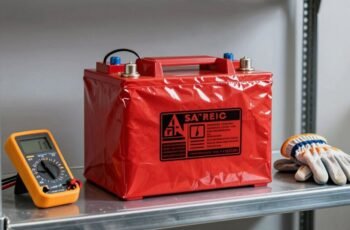
Maintaining a portable power station requires careful attention to detail and adherence to proper cleaning procedures to guarantee peak performance and longevity. We’ll guide you through essential steps, from preparing the device to performing routine maintenance, emphasizing safety and precision. Proper cleaning not only prevents dust buildup but also helps identify potential issues early. To achieve the best results, understanding each step and applying the correct techniques is critical—so let’s start with how to prepare your device for cleaning.
Key Takeaways
- Power off the device and disconnect all cables before cleaning to ensure safety.
- Use a soft, dry brush or compressed air to remove dust from vents and external surfaces.
- Wipe external surfaces gently with a lint-free microfiber cloth dampened with distilled water.
- Avoid liquids near ports and display; use minimal moisture and avoid harsh chemicals.
- Store in a dry, dust-free environment and conduct routine inspections for dust buildup or corrosion.
How to Prepare Your Portable Power Station for Cleaning
Before beginning the cleaning process, it is essential to make certain the portable power station is completely powered off and disconnected from any charging sources or connected devices. Verify the power switch is in the off position, and unplug all cables, including AC adapters and USB cords. Remove any external accessories or attachments to prevent interference during cleaning. Ensure the device is in a stable, flat surface to avoid accidental drops. If applicable, disconnect the battery or backup power modules following manufacturer instructions, ensuring no residual charge remains. Use insulated tools if necessary to handle internal components. Proper preparation minimizes the risk of electrical shock or damage, setting a safe foundation for thorough cleaning while maintaining the device’s integrity and operational safety.
Safety Tips to Follow Before Cleaning
Ensuring safety is paramount prior to cleaning your portable power station. First, disconnect the device from any power source and turn it off completely. Remove any connected devices to prevent accidental activation. Verify that the internal components are not energized by checking for indicator lights or display signals. Wear insulated gloves to protect against potential electrical hazards, especially if the device has been in use recently. Avoid using liquids or cleaning agents directly on electrical parts to prevent short circuits or corrosion. Ensure the workspace is dry and well-ventilated to minimize risk of moisture ingress. Finally, consult the manufacturer’s guidelines for specific safety instructions, and always handle internal components with care to prevent damage or injury.
Removing Dust and Debris From Vents and Ports
To maintain the best airflow and prevent overheating, we need to remove dust and debris from the vents and ports of the portable power station. Dust accumulation can obstruct airflow, causing internal components to overheat and reducing efficiency. Using a compressed air canister, we carefully blow out dust from the vents and ports, ensuring no debris remains lodged inside. A soft-bristled brush can dislodge stubborn particles from the grille surfaces without damaging the mesh. It’s crucial to hold the power station steady and avoid inserting objects into the ports, which could cause damage. Regular removal of dust and debris enhances cooling performance and prolongs the lifespan of internal components. This precise maintenance is critical for reliable operation and maximum power delivery.
Cleaning the Exterior Surface of Your Power Station
When cleaning the exterior surface of your power station, we recommend using a soft, lint-free cloth to prevent scratches. It’s crucial to avoid harsh chemicals, as they can damage the surface or interfere with internal components. Gentle cleaning with appropriate materials guarantees the device remains in ideal condition.
Use Soft Cloths
Since dirt and smudges can accumulate quickly on a portable power station’s exterior, using a soft cloth is vital for effective cleaning. A microfiber or lint-free cloth effectively removes dust, fingerprints, and superficial grime without scratching the surface. We recommend dampening the cloth slightly with distilled water to enhance cleaning efficiency and prevent streaking or residue. Applying excessive moisture can lead to internal damage, so it’s important to control the amount of liquid used. Gently wipe the surface in a consistent, circular motion, focusing on crevices and textured areas. Avoid pressing too hard, which might damage sensitive components or vents. Regular use of soft cloths preserves the exterior’s integrity while maintaining a professional appearance and ensuring maximum device longevity.
Avoid Harsh Chemicals
While cleaning your portable power station, it’s essential to avoid harsh chemicals that can damage its exterior. Using aggressive cleaners may degrade surface materials or compromise seals, reducing lifespan and functionality. Instead, opt for mild solutions like diluted dish soap or Isopropyl alcohol (70%). Below is a comparison table for cleaning agents:
| Cleaner Type | Effectiveness | Potential Risk |
|---|---|---|
| Mild Soap Solution | Removes dirt without harm | Minimal surface impact |
| Isopropyl Alcohol | Disinfects and cleans | Possible surface discoloration |
| Bleach or Ammonia | Not recommended | Material degradation, damage |
Always test on a small area first and avoid abrasive scrubbers. Prioritize gentle, precise cleaning for ideal device preservation.
How to Safely Clean the Display and Control Panel
To clean the display and control panel safely, we recommend using a soft, damp cloth to prevent scratches and moisture damage. Harsh chemicals should be avoided, as they can degrade display coatings and compromise electronic components. Following these guidelines guarantees effective cleaning without risking damage to sensitive surfaces.
Use Soft, Damp Cloth
When cleaning the display and control panel of a portable power station, we recommend using a soft, damp cloth to prevent scratches and avoid moisture damage. This method ensures safe removal of dirt and smudges without compromising device integrity.
Follow these steps:
- Use a microfiber cloth, avoiding abrasive materials.
- Dampen the cloth with distilled water; do not soak.
- Gently wipe the surface in a circular motion, applying minimal pressure.
- Dry the area immediately with a dry, lint-free cloth to prevent streaks or water spots.
This approach maintains the cleanliness of sensitive electronics, reduces static buildup, and prevents potential damage caused by excess moisture. Proper technique is essential for preserving the longevity of your device’s display and control panel.
Avoid Harsh Chemicals
Using harsh chemicals to clean the display and control panel can cause permanent damage or degrade sensitive electronic surfaces. These chemicals may strip protective coatings or cause discoloration, impairing function and visibility. To guarantee safety and longevity, always use a mild, non-abrasive cleaner with a soft cloth. Avoid ammonia, alcohol-based solutions, or solvents. Instead, opt for distilled water or specialized electronics cleaning wipes.
| Chemical Type | Effect on Electronics | Recommended Alternative |
|---|---|---|
| Ammonia-based | Surface degradation, discoloration | Mild, electronics-safe wipes |
| Alcohol-based | Coating damage, residue buildup | Distilled water |
| Solvents | Component corrosion, malfunction | Soft, damp cloth |
Cleaning and Maintaining the Battery Terminals
Maintaining clean battery terminals is essential for guaranteeing peak performance and longevity of your portable power station. Proper maintenance prevents corrosion, reduces resistance, and ensures reliable power transfer. Here are four critical steps:
- Disconnect Power: Always turn off and disconnect the power station before cleaning.
- Inspect Terminals: Look for corrosion, white or greenish deposits, or loose connections.
- Clean with a Solution: Use a mixture of baking soda and water or a specialized battery terminal cleaner; apply with a brush or cloth.
- Dry and Reconnect: Wipe dry with a clean cloth, then securely reconnect terminals, ensuring tight contact.
Following these steps guarantees maximum conductivity and prolongs battery life, maintaining the power station’s efficiency.
Checking and Cleaning the Power Input and Output Ports
Regularly inspecting and cleaning the power input and output ports guarantees ideal connectivity and prevents potential power transfer issues. Begin by powering down the device and unplugging all cables. Use a soft, dry brush or compressed air to remove dust, dirt, and debris from the ports. For stubborn grime, lightly dampen a lint-free cloth with isopropyl alcohol (70%) and gently wipe the contacts, making certain no liquid enters the ports. Avoid abrasive tools or excessive moisture, as these can cause damage or corrosion. Confirm that all contacts are free of corrosion or oxidation, which can impede electrical conduction. After cleaning, visually inspect the ports for signs of wear or damage. Proper maintenance ensures reliable power transfer and prolongs the lifespan of the power station’s components.
Tips for Preventing Future Dirt and Dust Accumulation
Maintaining a clean environment around your power station is essential to prevent dust buildup, so we recommend storing it in a dust-free area. Covering the unit when not in use minimizes exposure to airborne particles, and performing regular inspections helps identify dust accumulation early. Implementing these practices guarantees maximum performance and prolongs the device’s lifespan.
Store in Clean Area
To prevent the accumulation of dirt and dust on your portable power station, storing it in a clean, dust-free environment is crucial. Proper storage minimizes airborne particles settling on surfaces and internal components, enhancing operational longevity. We recommend:
- Keep the power station in a dedicated, enclosed cabinet or storage box to block dust ingress.
- Maintain a controlled environment with low humidity to prevent static buildup and mold.
- Avoid storage in areas with high foot traffic or where debris is common.
- Regularly inspect and clean the storage area to eliminate accumulated dust or dirt particles.
Implementing these measures ensures minimal contamination, preserves device integrity, and reduces the frequency of cleaning required. Consistent, controlled storage practices are essential for maintaining peak performance over time.
Cover When Not In Use
Cover your portable power station when it’s not in use to create a physical barrier against dust, dirt, and debris. Proper covering minimizes particulate accumulation, reducing the need for frequent cleaning and preventing potential damage to internal components. Use a dust-resistant cover made from non-abrasive, breathable material to guarantee airflow and prevent moisture buildup. When selecting a cover, consider the environment’s exposure level—outdoor storage demands more durable, weatherproof options.
| Feature | Benefit |
|---|---|
| Breathable fabric | Prevents moisture buildup |
| Dust-resistant | Minimizes dirt accumulation |
| Weatherproof | Protects from environmental elements |
Implementing a consistent covering routine extends device longevity and maintains operational efficiency.
Regular Dust Checks
Performing regular dust checks on your portable power station is essential for preventing the buildup of dirt that can impair performance and internal components. Consistent inspections help identify dust accumulation early, reducing the risk of overheating and electrical malfunctions.
To maintain peak operation, we recommend:
- Visually inspecting vents and cooling fans weekly for dust or debris.
- Using compressed air to dislodge dirt from internal vents and external surfaces.
- Checking connection ports and ensuring they are free of dust and corrosion.
- Establishing a routine cleanup schedule based on the operating environment’s dust levels.
When and How to Perform Professional Servicing or Deep Cleaning
Professional servicing or deep cleaning of a portable power station should be scheduled based on usage frequency and environmental conditions. If the device is exposed to high dust, humidity, or extreme temperatures regularly, more frequent professional maintenance is advisable. Indicators for servicing include persistent performance issues, abnormal noise, or the presence of corrosion on terminals. During a deep cleaning, technicians will disassemble critical components, inspect internal connections, and remove accumulated debris or corrosion, guaranteeing peak performance. Servicing also involves testing the battery health, verifying cooling systems, and updating firmware if applicable. It’s essential to entrust this process to authorized service centers with technical expertise to prevent damage and ensure safety. Regular professional intervention maintains device longevity and reliable operation under demanding conditions.
Troubleshooting Common Cleaning Issues and Safety Precautions
When addressing common cleaning issues on a portable power station, understanding potential problems and adhering to safety precautions is essential to prevent damage and guarantee user safety. Proper troubleshooting involves identifying issues such as moisture ingress, static buildup, or residue accumulation. To mitigate risks, follow these precautions:
- Disconnect the power station from any power source before cleaning.
- Use only non-abrasive, damp cloths—avoid harsh chemicals.
- Make sure the device is completely dry before reconnecting power.
- Avoid spraying liquids directly onto vents or openings to prevent internal damage.
Frequently Asked Questions
Can I Use Water to Clean My Portable Power Station?
We advise against using water directly on your power station, as moisture can damage internal components. Instead, we recommend using a dry, soft cloth or a slightly damp microfiber cloth for surface cleaning, avoiding openings and vents.
How Often Should I Clean My Power Station?
We recommend cleaning your power station every three to six months to prevent dust buildup and guarantee peak performance. Regular maintenance helps extend its lifespan, improves safety, and maintains efficiency, especially in environments with high dust or moisture exposure.
What Cleaning Products Are Safe for Electronic Devices?
We recommend using a soft, lint-free cloth dampened with isopropyl alcohol (70%) for electronic device surfaces, avoiding harsh chemicals or abrasives that could damage internal components. Always make certain the device is unplugged before cleaning.
Is It Necessary to Disconnect the Battery Before Cleaning?
Yes, we recommend disconnecting the battery before cleaning to prevent electrical shorts or damage. Always make sure the device is powered off, unplugged, and allow it to cool before handling or cleaning to ensure safety.
Can Cleaning Damage the Power Station’s Warranty?
Cleaning can void your warranty if improper techniques cause damage, much like a ship’s hull is compromised by careless repairs. We recommend following manufacturer guidelines precisely to maintain warranty protection and guarantee the best performance of your power station.
Conclusion
In the end, a little routine cleaning can save us from unexpected malfunctions—who would’ve thought? Regular maintenance keeps our power stations running smoothly and extends their lifespan, all while giving us peace of mind. Irony aside, neglecting these steps might lead to costly repairs or sudden failures. So, let’s stay vigilant, clean diligently, and enjoy uninterrupted power—because ignoring dust is the real power drain.